Last updated: May 2026 | By the Cronometras team
In the world of industrial engineering, time and motion study remains one of the fundamental tools for improving productivity, establishing production standards and designing efficient lines. However, despite the technological advances of recent years, many industrial engineers and production managers still ask themselves: what is the best tool for conducting time studies in 2026?
The answer is not simple because it depends on multiple factors: company size, available budget, process complexity, collaboration needs and the level of detail required in the analyses. What we can tell you is that the method you choose has a direct impact on the quality of your production standards and, ultimately, on the profitability of your plant.
In this article we will take an in-depth look at the 5 most widely used options currently available for conducting industrial time studies. Without inventing fictitious competitors, without exaggeration: an honest comparison based on the reality of the shop floor. By the end, you will have a clear view of which tool best fits your needs.
1. Excel + Physical Stopwatch: The Classic Method (and the Most Common)
What is it?
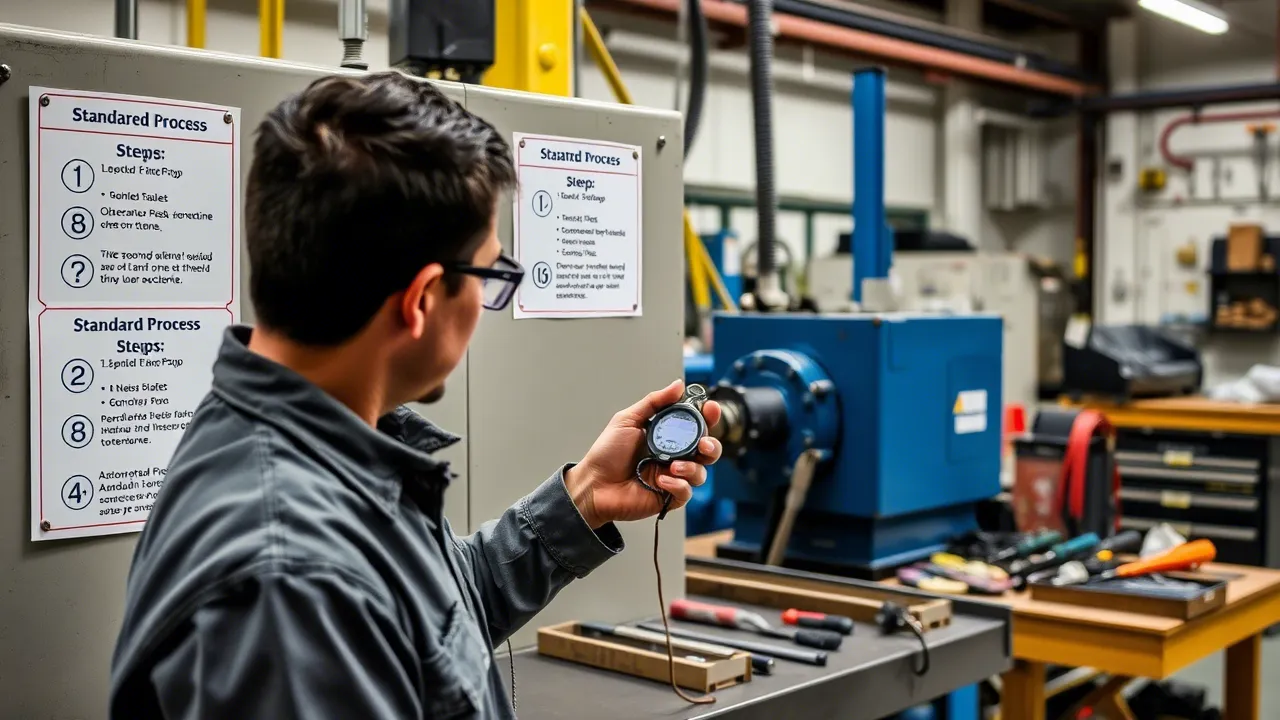
Probably 70% or more of the time studies in Latin America and much of the world are still carried out with this combination: a handheld stopwatch (or the phone's stopwatch) and an Excel spreadsheet. The engineer stands next to the operator, observes each element of the process, records the times on the stopwatch and enters them manually into an Excel template, usually created by the user.
It is the method taught in virtually every industrial engineering university and is, without a doubt, the entry point of thousands of professionals into the world of time study.
In which situations is it still useful?
- For one-off, isolated time studies where recurring analysis is not required.
- In small plants or workshops where few studies are conducted per year.
- When the budget for tools is practically nonexistent.
- For academic or learning purposes.
Real advantages
- Zero software investment cost. Excel is already installed on virtually every computer. You don't need to buy anything else.
- Total design flexibility. You can create your own template with whatever columns, formulas and formatting you want.
- No prior training required. Any industrial engineer knows how to use Excel at a basic level.
- Complete manual control. You decide exactly which data to capture and how to organize it.
Real disadvantages
- Extremely high risk of human error. Capturing times with a stopwatch while observing a process and writing in Excel at the same time is extremely error-prone. You forget to start or stop the stopwatch, record the value incorrectly, or mix up process elements.
- No traceability. There is no record of when each time was taken, who took it, or under what conditions.
- Error-prone manual calculations. Calculating averages, removing outliers, applying performance ratings and calculating allowances (such as ILO/ILO) manually in Excel takes time and it is easy to make mistakes.
- No collaboration. If a second engineer needs to review the study, they can only see the static sheet. There is no way to work simultaneously or validate data in real time.
- Unprofessional export. Reports generated from raw Excel tables rarely impress in executive presentations.
- No reusable element library. Every time you start a new study, you almost always have to recreate the template or look for the previous version.
Verdict
Excel with a stopwatch is like a general-purpose tool: it can do almost anything, but nothing in an optimized way. It is the default option, not a deliberate choice. If you conduct time studies regularly and need efficiency, traceability and professionalism in your reports, you need something better.
2. SAP PP/PM: The Enterprise ERP Giant
What is it?
SAP is the most widely used ERP (Enterprise Resource Planning) system in the world among large corporations. The PP (Production Planning) module makes it possible to plan and control production processes, while the PM (Plant Maintenance) module manages asset maintenance. Within SAP, it is possible to record standard operation times, calculate cycle times and link this data to materials and capacity planning.
SAP is not software designed specifically for time studies; rather, it offers standard time recording functionalities as part of its comprehensive manufacturing management ecosystem.
In which situations is it relevant?
- In large multinational corporations that already have SAP implemented and need to integrate time standards directly into their planning system.
- When the entire value chain (from purchasing to production and distribution) is managed in SAP.
- For companies where formal documentation of standard times is a regulatory or audit requirement.
Real advantages
- Full integration. The recorded standard times connect directly to materials planning (MRP), production order scheduling and cost control. You don't need to export or import data between systems.
- Enterprise scale. SAP can handle thousands of routings with time standards for hundreds of products across multiple plants simultaneously.
- Traceability and auditing. The system records who modified each standard, when and why, which is invaluable for quality audits such as ISO 9001 or IATF 16949.
- Link to actual costs. Standard times directly impact the calculation of production costs, enabling more precise financial analysis.
Real disadvantages
- It is not a time study tool. SAP does not let you conduct a time study on the shop floor in a practical way. It has no integrated stopwatch, it does not allow you to observe a process in real time while capturing elements, and it has no operator performance rating functionalities.
- Astronomical cost. Implementing SAP in a company can cost millions of dollars. Annual licenses for the PP module can cost tens of thousands of dollars. This makes it inaccessible to 99% of SMEs.
- Brutal learning curve. It requires months of user training. Setting up a routing with standard times in SAP can take longer than conducting a complete time study with a dedicated tool.
- Inflexible for analysis. If you need to analyze times in detail (distribution, regression, outlier removal), SAP offers no advanced statistical tools for that.
- Dependence on consultants. Any change to the standard time configuration usually requires an SAP consultant, generating additional costs and delays.
Verdict
SAP is indispensable as an enterprise management system, but it is a terrible tool for actually conducting time studies. In practice, companies that use SAP usually conduct their time studies with another tool (generally Excel) and then load the results into SAP. The typical workflow is: study with Excel → enter into SAP. They are complementary worlds, not substitutes.
3. TimerPro (Applied Computer Systems): The Dedicated Specialist
What is it?
TimerPro is software developed by Applied Computer Systems (ACS), a company specializing in industrial engineering solutions. It is one of the few software tools in the world designed specifically for time and motion study, both predetermined-time systems (MOST, MTM) and time study on the shop floor.
TimerPro offers tools for capturing times, creating movement libraries, generating time standards and producing detailed reports. It has been used by manufacturing companies in North America and Europe for several years.
In which situations is it relevant?
- In companies that need a software solution dedicated exclusively to time study.
- Organizations that work with predetermined-time systems such as MOST or MTM and need a platform that supports these systems natively.
- Companies with large industrial engineering departments and a dedicated budget for analysis tools.
Real advantages
- Designed specifically for time study. Unlike Excel or SAP, TimerPro was created with the time study methodology in mind. It includes functionalities such as performance rating, automatic standard time calculation and allowance factor management.
- Support for predetermined times. If your company uses MOST or MTM, TimerPro offers integrated libraries of predetermined movements, which significantly speeds up the analysis process.
- Reusable libraries. You can create reusable work element libraries, which reduces setup time in repetitive studies.
- Professional reports. It generates detailed reports with charts and statistical analyses that are far more professional than an Excel sheet.
Real disadvantages
- Desktop platform with a license. TimerPro is desktop software that requires installation and a paid license. It is not a web application or a PWA, which limits its use to the machine where it is installed.
- Significant learning curve. The predetermined-time functionalities (MOST, MTM) are complex and require specialized training. It is not intuitive for users who only need to perform a basic time study.
- License cost. The software has a license cost that can be prohibitive for small companies or independent engineers. There is no free version or an economical low-usage plan.
- Closed ecosystem. Real-time collaboration is limited. If a team of engineers needs to work simultaneously on a study, TimerPro's options are more restrictive than those of a modern web application.
- Slow updates. As traditional desktop software, updates are not as frequent as in cloud-based applications. The pace of new feature additions can be slower than that of modern tools.
- Limited field access. You cannot easily use it from a mobile phone or tablet on the shop floor without carrying a laptop.
Verdict
TimerPro is a legitimate and respected tool in the world of time study. If your company needs support for advanced predetermined-time systems and has the budget for a license, it is a solid option. However, for most industrial engineers who conduct standard time studies, its complexity and cost make it an oversized option.
4. Toggl Track / Clockify: The Generic Time-Tracking Apps
What are they?
Toggl Track and Clockify are two of the most popular time-tracking applications in the world. They are designed primarily for service professionals (consultants, developers, lawyers), remote teams and technology companies that need to record how much time they spend on each task or project.
Both work in a similar way: you create a project, start and stop a timer, and assign the recorded time to categories or tags. They offer dashboards, reports and data export.
In which situations are they being used?
Unfortunately, many companies and professionals fall into the temptation of using these tools for industrial time studies because they are free (or very cheap) and readily available. The industrial engineer downloads them, creates a project called "Time study - Line 3" and starts timing elements.
Real advantages
- Free or very cheap. Clockify is completely free for basic use. Toggl offers a generous free plan. The entry cost is zero.
- Easy to get started. You don't need training. You download the app, create a project and press play.
- Available on multiple devices. It works on computers, phones and tablets.
- Basic reports. You can see how much time you spent on each category, which has some value for preliminary analyses.
Real disadvantages (and why they are NOT for industrial time study)
- They have no split/reset stopwatch. In a time study, you need to measure individual elements within a complete cycle. Toggl and Clockify only allow you to start/stop a timer, not capture split times of successive elements. To simulate this, you would have to create a "task" for each process element, which is extremely inefficient.
- They do not handle performance rating. Time study requires you to rate the operator's pace (normally on a scale from 80% to 120%). These apps do not have this functionality because they were not designed for it.
- No allowance system (tolerance factors). In an industrial standard time, you must apply personal, fatigue and unavoidable-delay tolerance factors according to the ILO/ILO standard. Toggl and Clockify do not handle these calculations.
- They do not generate standard times. The purpose of a time study is not just to measure how long a process takes, but to calculate a standard time that is representative and applicable for production planning. These apps do not calculate standard times.
- They have no element libraries. You cannot create reusable work element libraries for future studies.
- No statistical analysis. They do not calculate weighted averages, remove outliers or perform distribution analysis.
- Purpose confusion. Using Toggl for industrial time studies is like using a pocket calculator to design a bridge: technically you can do calculations, but the tool is not designed for that level of analysis.
Verdict
Toggl Track and Clockify are excellent tools for what they were designed for: time tracking for service professionals. Using them for industrial time studies is like using a screwdriver as a hammer: it works, but badly and with a lot of unnecessary effort. If you see your team using these apps for time studies, it is a clear sign that they need a proper tool.
5. Cronometras: The Modern Solution for Industrial Time Studies
What is it?
Cronometras is a PWA (Progressive Web App) designed from the ground up specifically for industrial time study. Unlike the other solutions on this list, Cronometras was created with a single purpose: to make time study faster, more accurate, more collaborative and more accessible for modern industrial engineers.
It is a web application that works like a native app, works without an internet connection (offline-first), can be installed on any device without going through an app store, and is designed to be used directly on the shop floor.
Key features
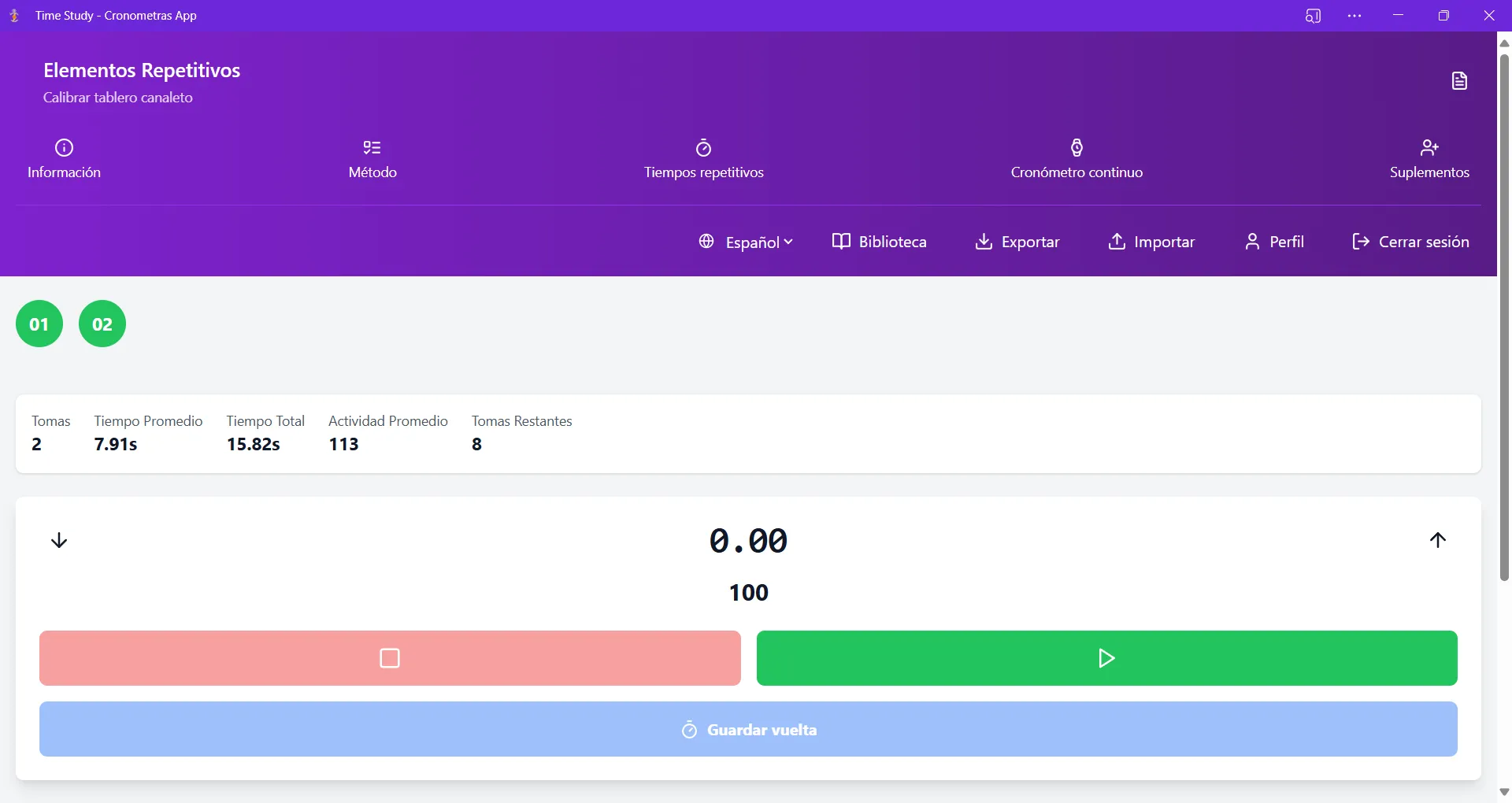
- Voice-controlled stopwatch. The innovative voice time-study system allows the engineer to control start, pause and element changes without touching the screen. This is a radical change: the engineer can focus completely on observing the operator instead of looking at a screen or a stopwatch.
- Reusable element libraries. You can create and manage work element libraries that are reused across different studies. If you measure the same process on different shifts or plants, you don't need to set everything up from scratch.
- Complete analysis with ILO allowances. Cronometras automatically calculates tolerance factors according to the tables of the International Labour Organization (ILO/ILO), covering personal factors, fatigue, unavoidable delays and deliberate delays.
- Performance rating. The app allows you to record the operator's performance rating during the study, a fundamental element for obtaining a valid standard time.
- Ergonomic analysis. Beyond time, Cronometras makes it possible to evaluate the ergonomic aspects of each element, providing a more complete view of the process.
- Export to Excel and PDF. Data is exported in professional formats ready to share with the team or present to management.
- Real-time collaboration. Multiple engineers can work on the same study simultaneously, validating data and complementing analyses.
- Offline-first. Designed for the shop floor where internet connectivity is unreliable or nonexistent. Everything works offline and synchronizes when the internet returns.
Real advantages
- Designed EXCLUSIVELY for time study. Every feature exists because industrial engineers need it. There are no irrelevant features or repurposed generic functionalities.
- Voice stopwatch (game changer). This feature is truly revolutionary. In a classic time study, the engineer must shift attention between the operator and the stopwatch/spreadsheet. With the voice stopwatch, the engineer's attention stays 100% on observing the process, which dramatically improves study quality.
- Works on any device. Computer, tablet, phone. No specialized hardware required.
- No complicated installation. As a PWA, it installs with one click from the browser. You don't need IT permissions, installation discs or server setup.
- Offline-first for the shop floor. It understands the plant reality: there isn't always WiFi. You can conduct complete studies offline and synchronize later.
- Affordable cost. Unlike SAP or TimerPro, Cronometras is designed to be accessible to large corporations as well as independent engineers and SMEs.
- Constant evolution. As a PWA, updates are automatic and frequent. You always have the latest version without doing anything.
- Professional reports. Excel and PDF reports are ready to present to management, with no manual reformatting needed.
- Real standard times. Cronometras calculates the standard time correctly, applying the formula: Standard time = Base time × (Rating / 100) × (1 + Allowances/100).
Disadvantages (total honesty)
- No support for predetermined times (MOST/MTM). If your company uses advanced predetermined-time systems such as MOST or MTM, Cronometras currently does not offer predetermined libraries for these systems. For that, TimerPro is still more comprehensive.
- Requires an internet connection the first time to sign up. Although it works offline, you need a connection the first time to create your account. This may be a minor inconvenience in very remote plants.
- New on the market. Being a more recent solution than SAP or Excel, Cronometras is building its user base. However, this also means it is more closely aligned with current needs and expectations.
Verdict
Cronometras represents what a time study tool should be in 2026: modern, fast, purpose-built, working without internet and adapted to how industrial engineers actually work on the shop floor. If you conduct time studies regularly, Cronometras is not just an improvement over Excel: it is a paradigm shift.
Comparative Summary Table
| Criterion | Excel + Stopwatch | SAP PP/PM | TimerPro | Toggl/Clockify | Cronometras |
|---|---|---|---|---|---|
| Designed for time study | No | No | Yes | No | Yes |
| Element stopwatch | Manual | No | Yes | No | Yes (+ voice) |
| Performance rating | Manual | No | Yes | No | Yes |
| ILO/ILO allowances | Manual | No | Yes | No | Yes |
| Ergonomic analysis | No | No | Partial | No | Yes |
| Offline-first | Yes (local) | No | Yes (local) | No | Yes |
| Real-time collaboration | No | Partial | No | Partial | Yes |
| Entry cost | Free | $$$ | $$ | Free | Affordable |
| Learning curve | Low | Very high | High | Very low | Low |
| Works on mobile/tablet | Limited | Limited | No | Yes | Yes |
| Professional export | Basic | Yes | Yes | Basic | Yes |
| Predetermined times (MOST/MTM) | No | No | Yes | No | No |
| Continuous evolution | No | Slow | Slow | Yes | Yes |
Which One Should You Choose? The Honest Answer
The choice depends on your specific situation:
If you only do one study a year and have plenty of time: stick with Excel. It's free and works for isolated analyses.
If your company already has SAP and you need to integrate standards into the ERP: use SAP to store and plan, but conduct the studies with a dedicated tool.
If you work with MOST or MTM and need predetermined times: TimerPro is the most complete option in that specific niche.
If you are using Toggl or Clockify for industrial time studies: please stop. You are wasting time, generating unreliable data and doing work that deserves better tools.
If you conduct time studies regularly and want speed, accuracy, collaboration and professional reports: Cronometras is your best option in 2026.
Try Cronometras Today
If you are an industrial engineer who takes the quality of your time studies seriously, you deserve a tool designed specifically for what you do. Cronometras combines the power of professional time study software with the simplicity of a modern app that works on any device, even without internet.
It's not just about measuring times. It's about obtaining reliable data that enables better production decisions, optimized processes and improved plant productivity.
Click here to request your free Cronometras demo(https://cronometras.com) and discover how technology can transform the way you conduct industrial time studies.
Request a Free Cronometras Demo
Don't want to do it yourself? We do it for you from €800
If you prefer to outsource it, Cronometras delivers a complete time and motion study from a single video: elemental breakdown, OIT/TAL fatigue allowances, standard time with tolerances, and a report in PDF + Excel + JSON ready to present to management.